
Everything runs better together
Every Quantus app shares the same users, roles, and data model — so switching between HR, inventory, and finance never means switching context.
- Apps
- 8
- Modules
- 46+
- Logins
- 1
What every app gets for free
Access, identity, and reporting are solved once by the Hub — so each app can stay focused on the work it exists to do.
One console for every app
Sign in once and switch between every app you're licensed for from a single mega menu — no separate URLs, no separate passwords to remember.
Role-based access
Fine-grained roles control exactly what each teammate can see and do, per app — enforced the same way everywhere.
Real-time everywhere
Stock, ledger, and people data stay in sync as it changes — no nightly batch jobs to wait on.
Reporting that reflects reality
Because every app reads from the same data model, dashboards reflect what's actually happening across the business — not a snapshot from yesterday.
One directory of people
Employees, roles, and teams are defined once and reused across every app — add someone to Quantus People and they can be granted access anywhere else instantly.
Grows with your business
Start with the apps you need today. Turn on Quantus CRM, Quantus IMS, Quantus LMS, or Quantus Fixed Assets later without migrating users, roles, or historical data.
The screens your team works in
Not a feature checklist — the actual dashboards and modules that ship with each app.
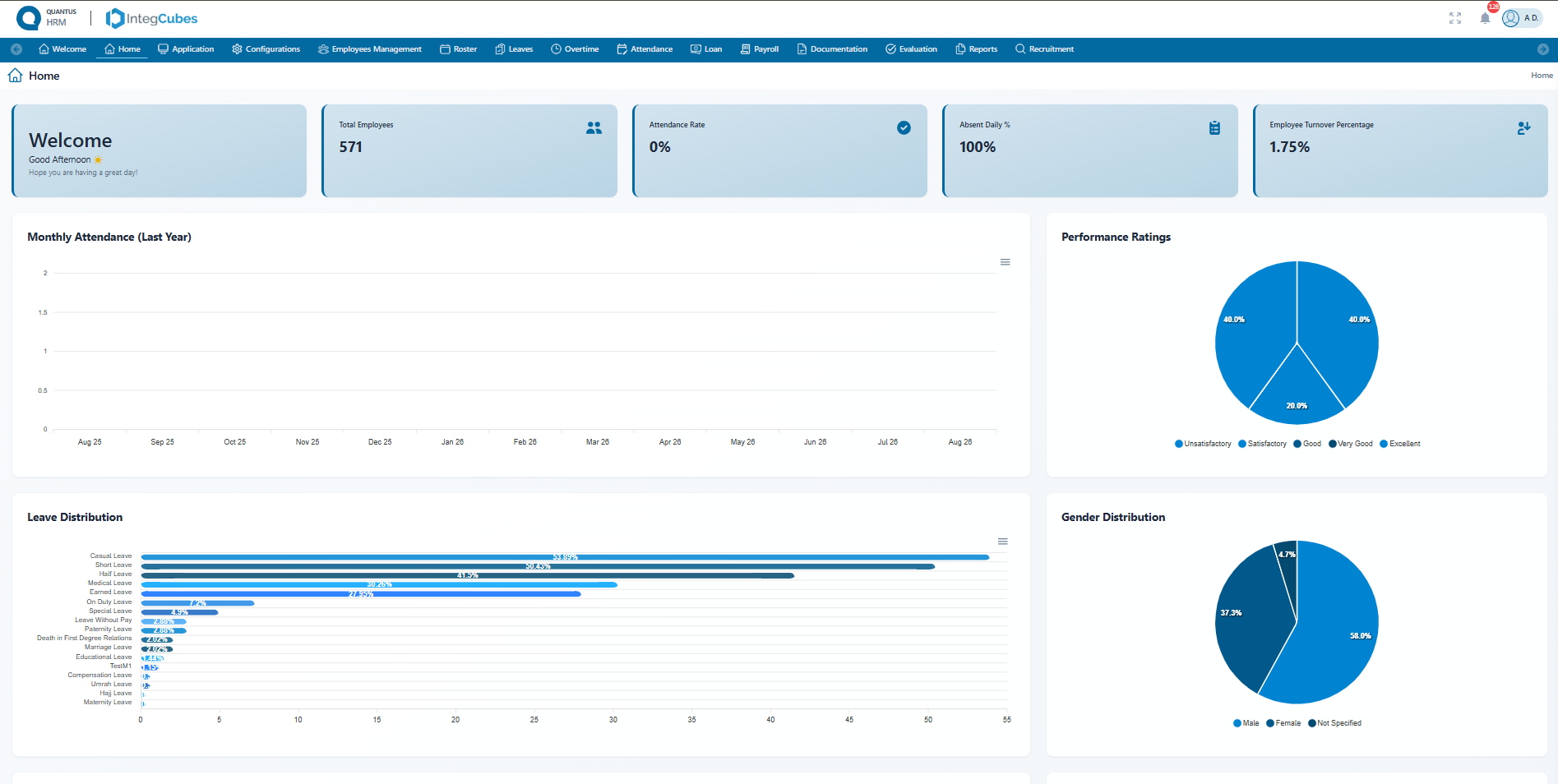
Quantus People
The people dashboard
Headcount, attendance, leave and performance on one screen, so HR can see the shape of the workforce before opening a single report.
6 modules
- Leave management
- Overtime management
- Loan & advance management
- Payroll processing
- Documentation & official letters
- Shift & duty planning
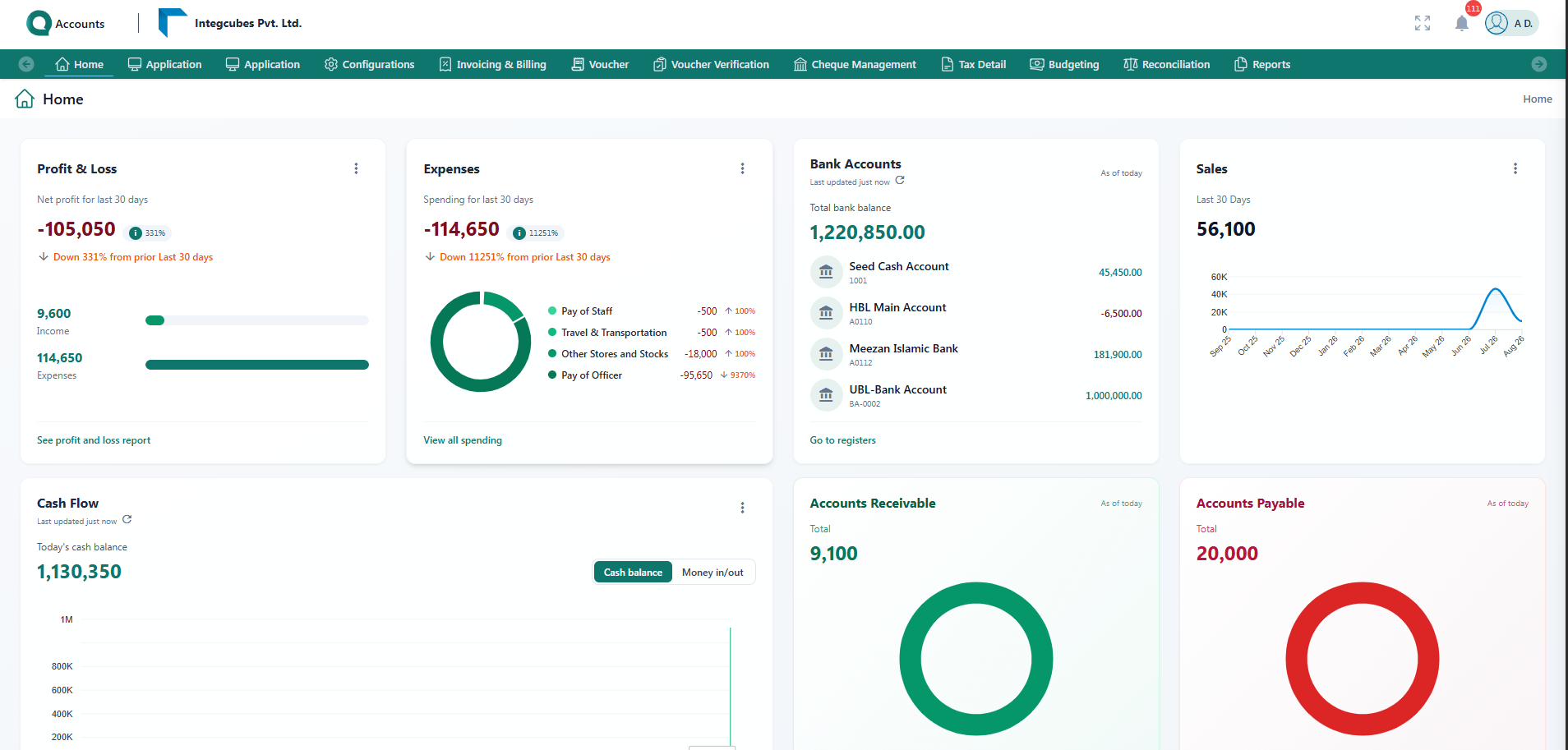
Quantus Ledger
The finance dashboard
Profit, spend, cash and outstanding balances shown together, so management can read the position without opening each report first.
11 modules
- Financial dashboard
- Chart of accounts & masters
- Voucher management
- Voucher verification
- Invoicing & receivables
- Bills & payables
- Budgeting
- Cheque management
- Bank reconciliation
- Financial statements
- Tax management
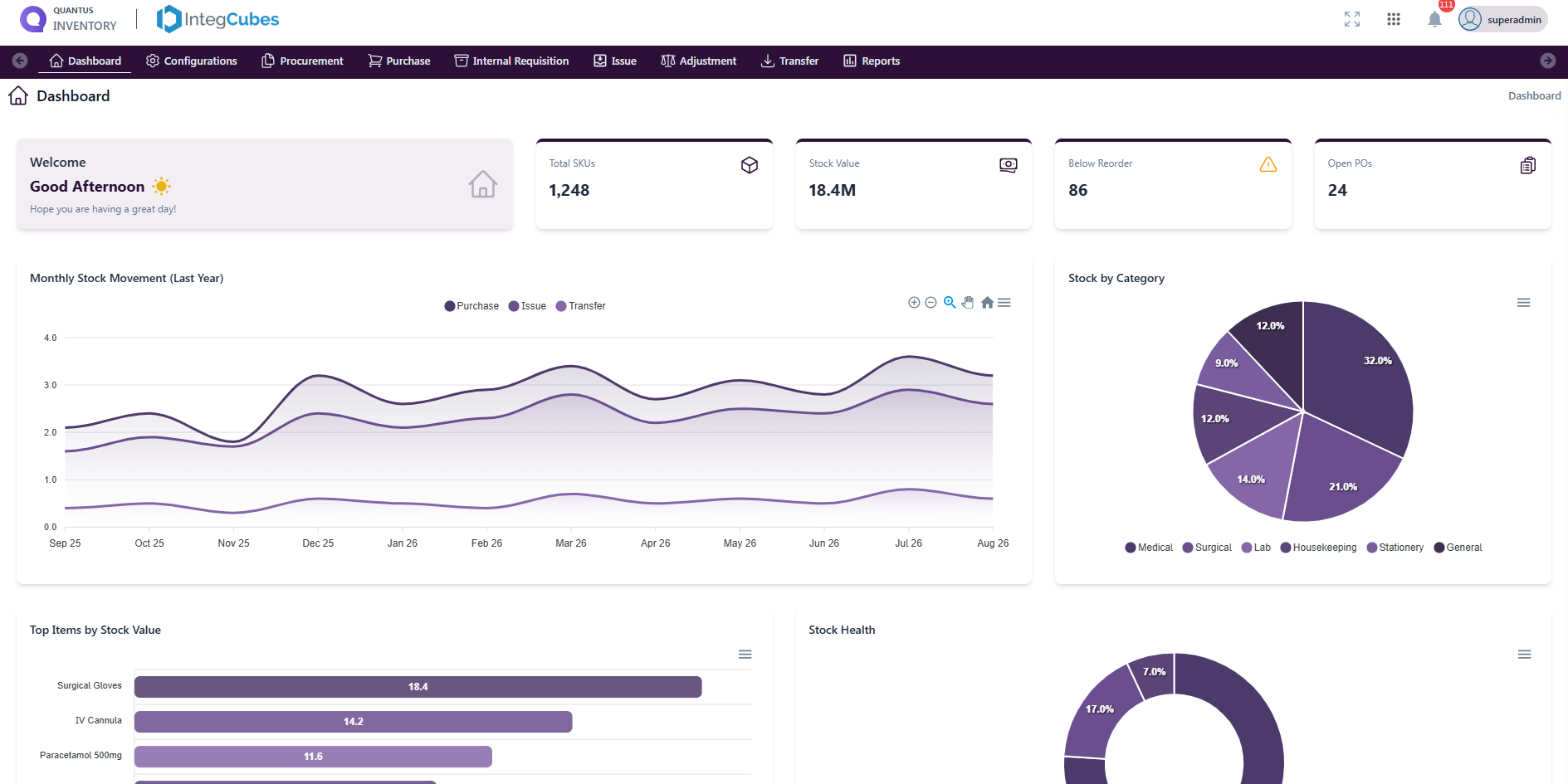
Quantus Stock
The stock dashboard
Shortages, open work and value concentration at a glance — before anyone has to run a stock report.
8 modules
- Procurement requisition
- Purchase order
- Vendor rate
- Demand form
- Direct issue
- Store requisition & transfer
- Product adjustment
- Supplier GRIR report
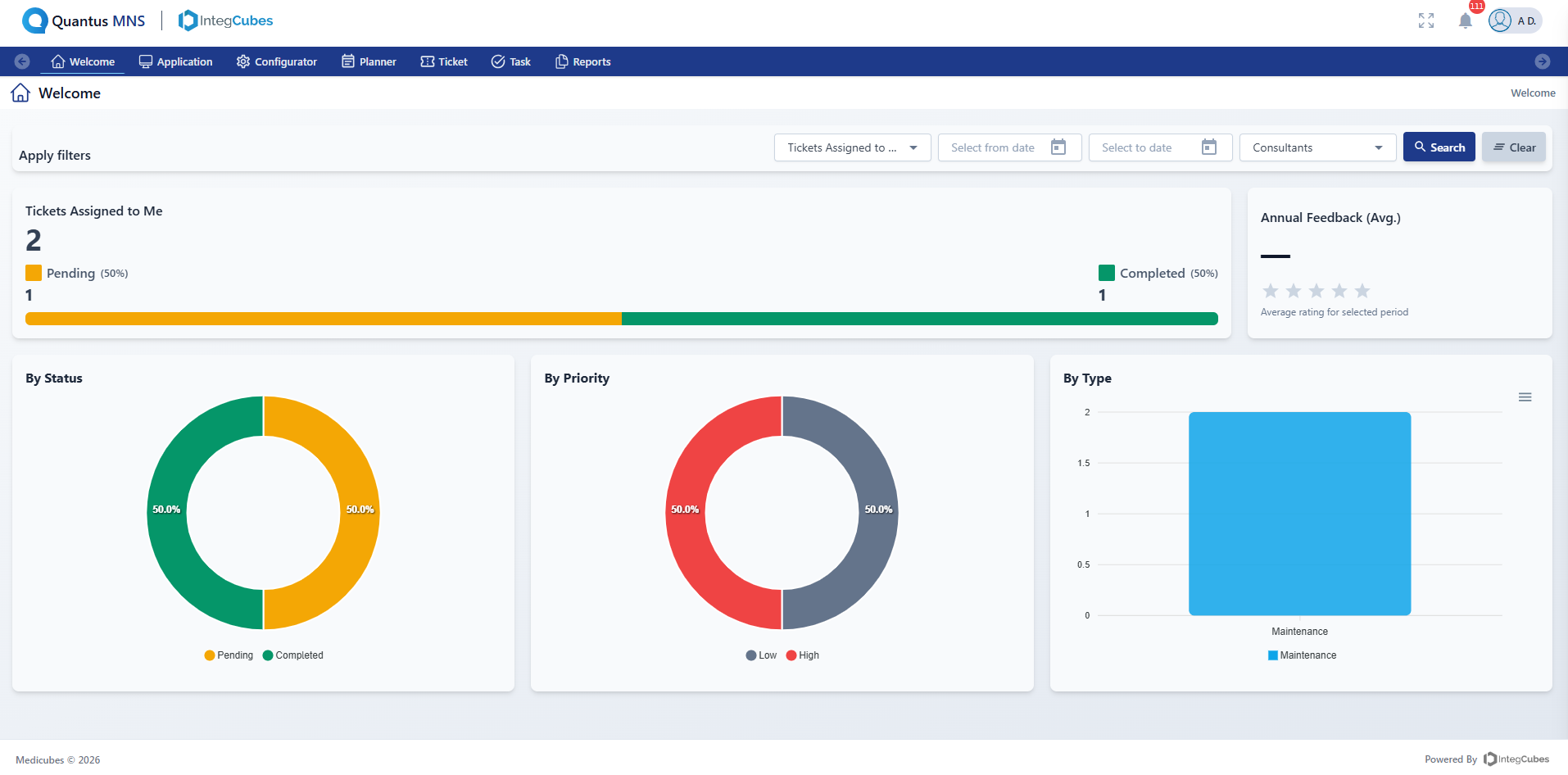
Quantus Works
The maintenance dashboard
Ticket workload and performance for the signed-in user, so where work stands is clear without opening a single ticket.
5 modules
- Create ticket
- Execute task
- Planner
- Ticket register
- Welcome dashboard
Quantus CRM
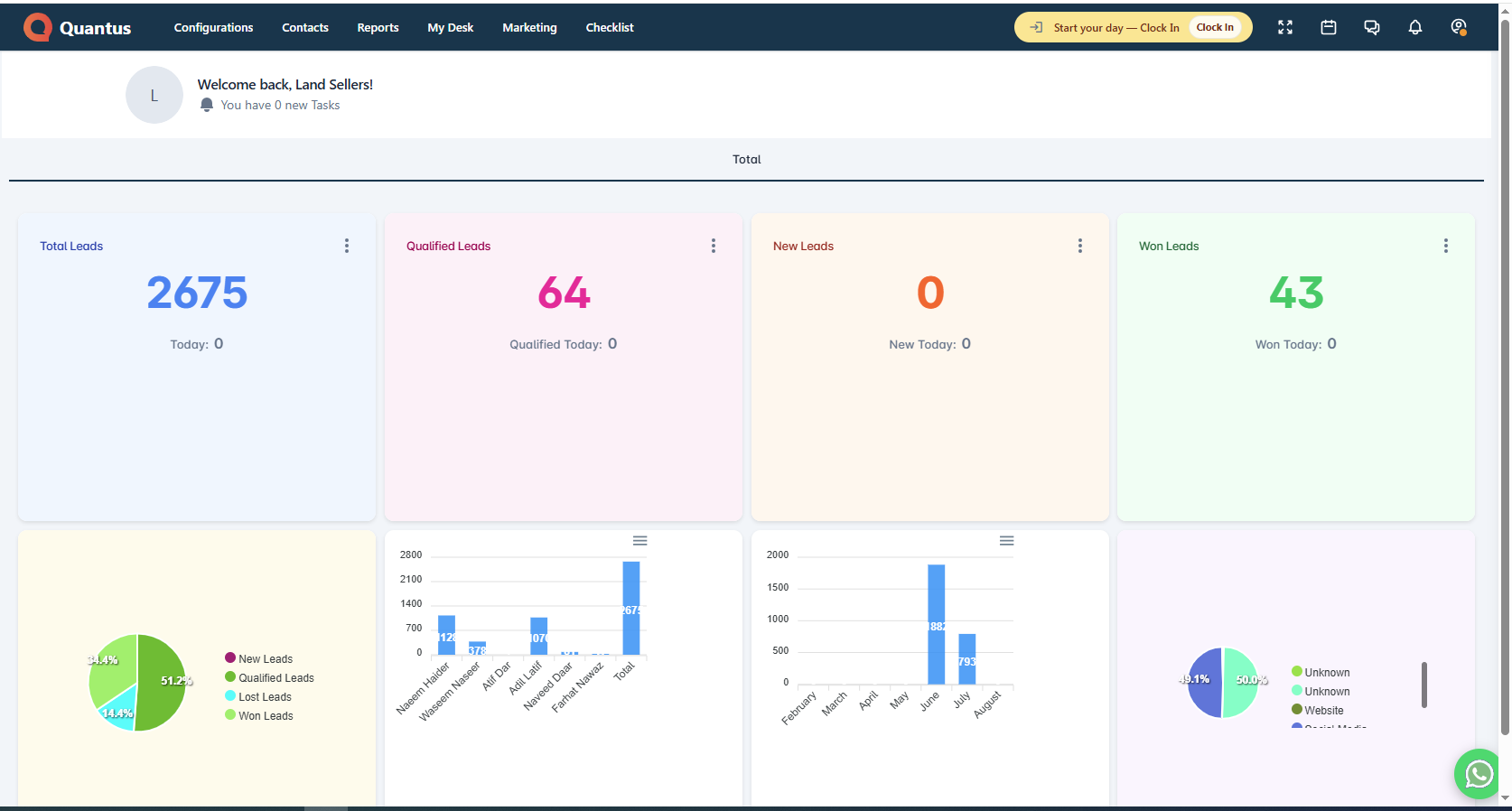
The pipeline dashboard
New, qualified, won and lost for the period, next to who is working them and which source produced them — so a manager can read the pipeline without asking anyone for a report.
7 modules
- Lead capture from every channel
- Visual sales pipeline
- The lead workspace
- Lifecycle rules
- WhatsApp Business, built in
- Follow-up board
- Reports and campaign ROI
Quantus IMS
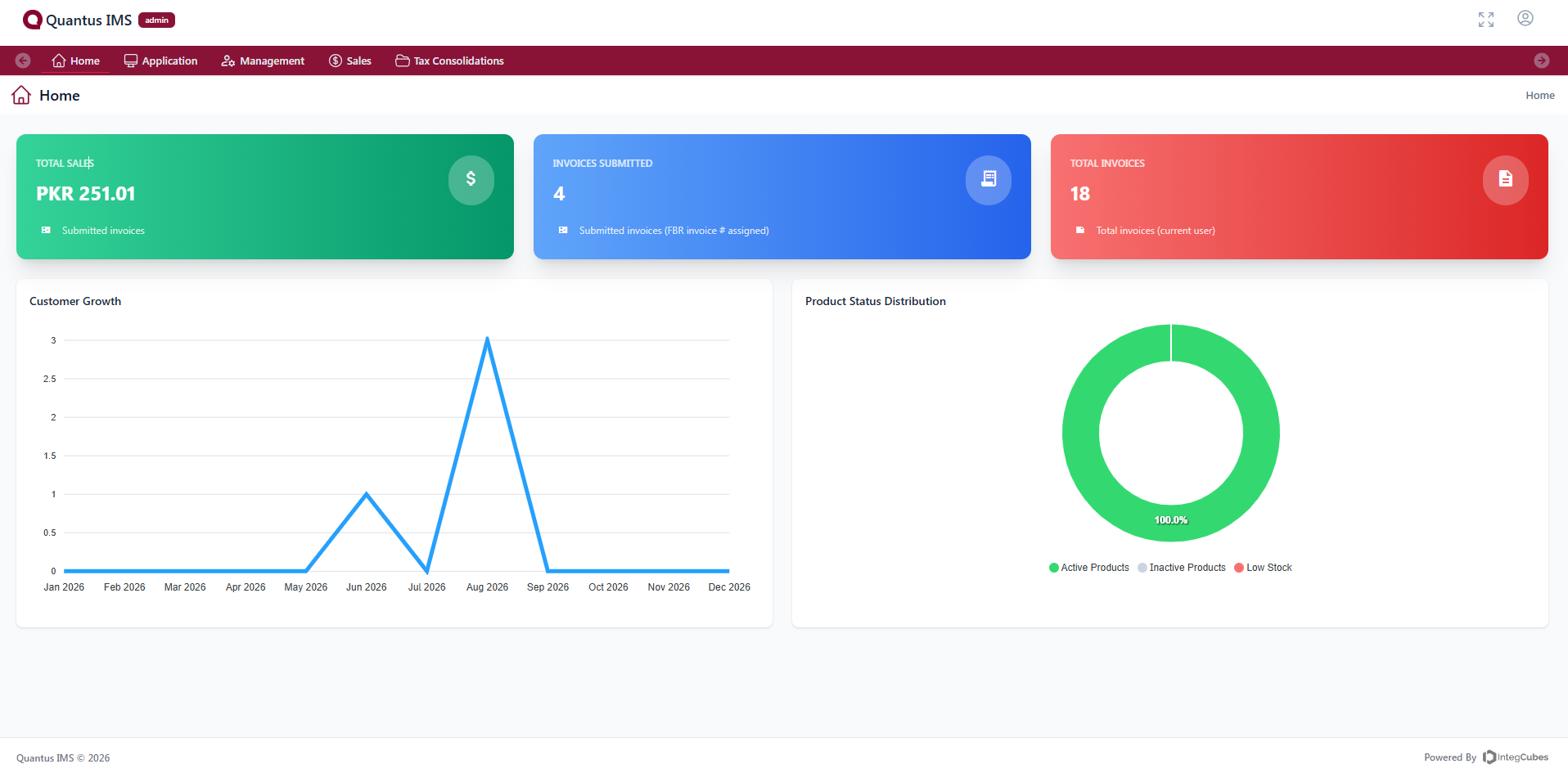
The billing dashboard
What was sold, what has been filed and what is still sitting in draft — the snapshot to open before chasing an invoice or a tax return.
4 modules
- Product catalog & stock tracking
- Sales invoices & debit notes
- Returns & customer credit
- Tax consolidations
Quantus LMS
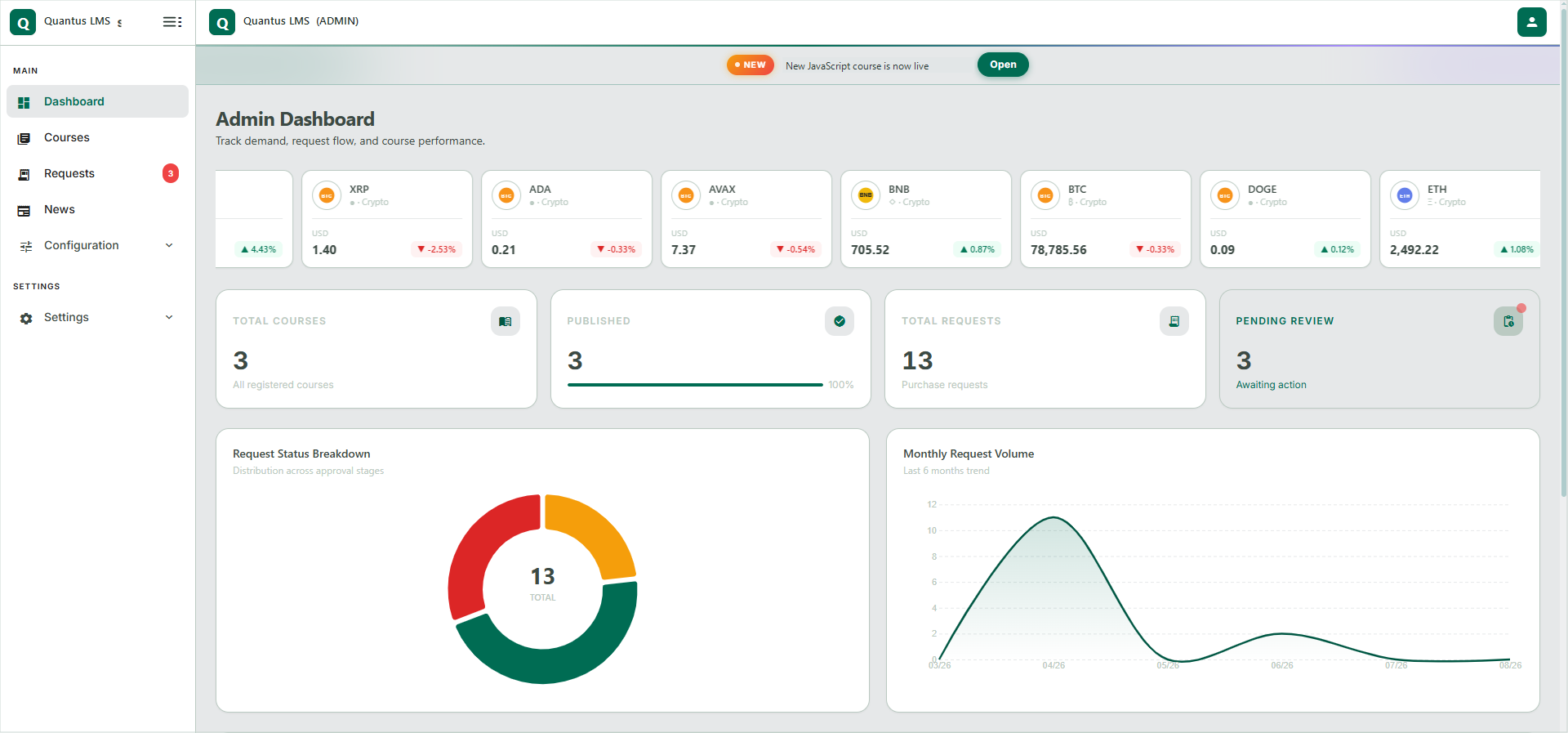
The learning dashboard
Catalog size, enrollment demand and the approval backlog on one screen — so operations can see where learners are waiting.
5 modules
- The student home
- Course & category management
- Lessons, videos & resources
- Learning player, progress & notes
- News & announcements
What each app brings to the suite
Quantus Ledger
Books that close themselves.
- General ledger & journals
- Invoicing & billing
- Expense tracking
- Financial statements
Quantus People
Hire, manage, and grow your people.
- Employee records & org chart
- Attendance & leave management
- Payroll processing
- Performance reviews
Quantus Stock
Track stock across every warehouse.
- Multi-warehouse stock tracking
- Purchase orders & receiving
- Stock transfers & adjustments
- Low-stock alerts
Quantus Works
Keep every ticket and asset on track.
- Ticketing & dispatch
- Preventive maintenance schedules
- SLA tracking
- Asset service history
Quantus CRM
Every paid lead in one pipeline.
- Lead capture from Meta, Google & WhatsApp
- Drag-and-drop pipeline with your own stages
- Rule-based assignment & SLA clocks
- WhatsApp Business templates & replies
- Campaign ROI and owner performance reports
Quantus IMS
Invoicing and stock, ready for the tax office.
- Product catalog with stock-in / stock-out
- Sales invoices & debit notes
- Credit notes that return goods to stock
- Tax consolidations for FBR reporting
Quantus LMS
Training that scales with your team.
- Course catalog with search & filters
- Lessons, videos & downloadable resources
- Purchase requests with payment proof
- Secure streaming, progress & notes
- Completion certificates
Quantus Fixed Assets
Know where every asset is, always.
- Asset register & tagging
- Depreciation schedules
- Transfers & disposals
- Audit trail
See it running with your apps
Pick the modules your team needs and we'll get you set up.
Get Started