Back to apps
Quantus Stock
Track stock across every warehouse.
Stay on top of stock levels, purchase orders, and warehouse transfers with real-time visibility across locations.
app.quantus.com/inventory/dashboard
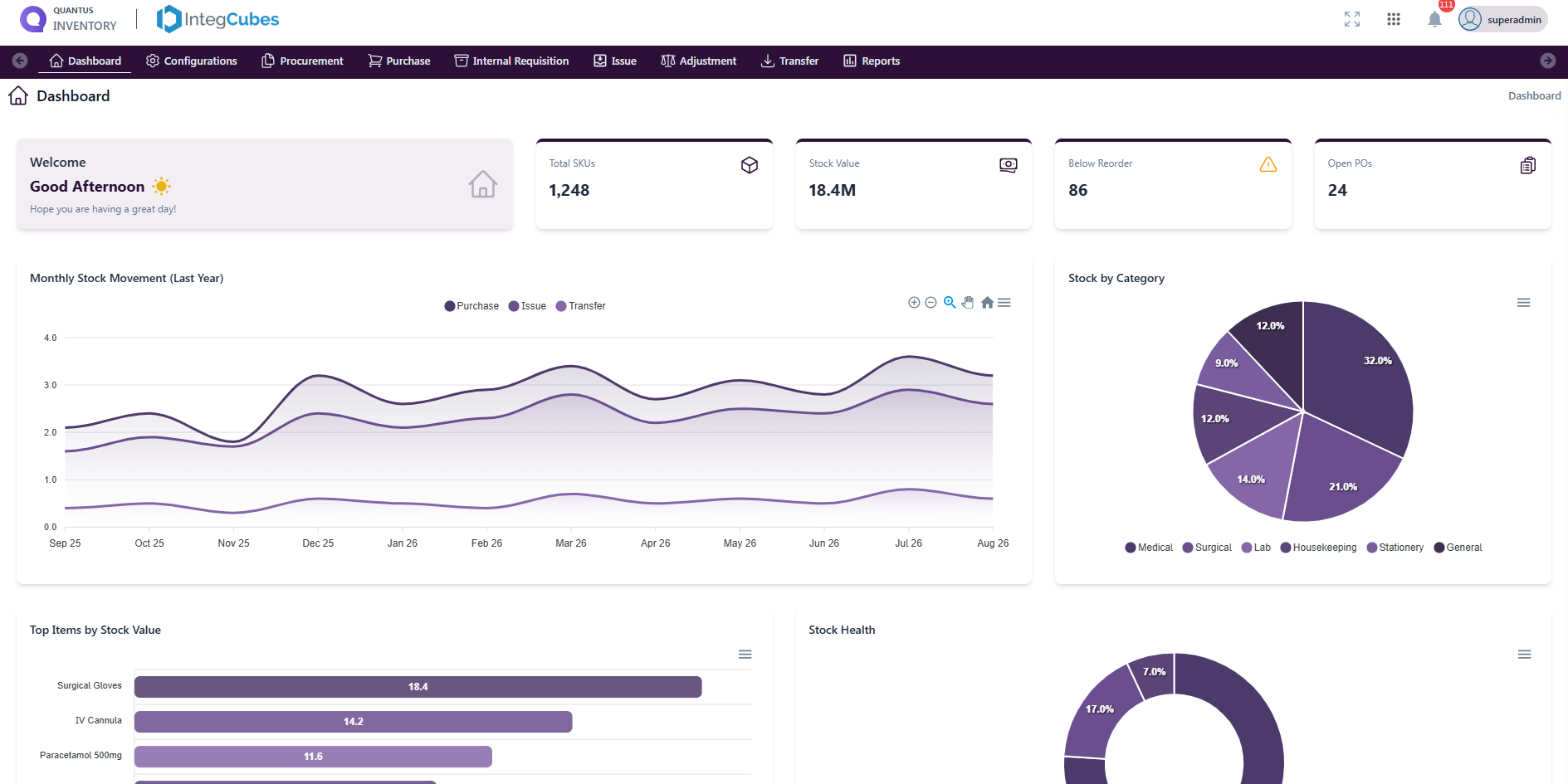
The stock dashboard
Shortages, open work and value concentration at a glance — before anyone has to run a stock report.
Total SKUs Stock value Below reorder Open POs Monthly stock movement Stock by category Top items by value Stock health
Modules
What's inside Quantus Stock
8 modules ship with Quantus Stock — each one a screen your team works in, not a checkbox on a feature list.
Module 1 of 8
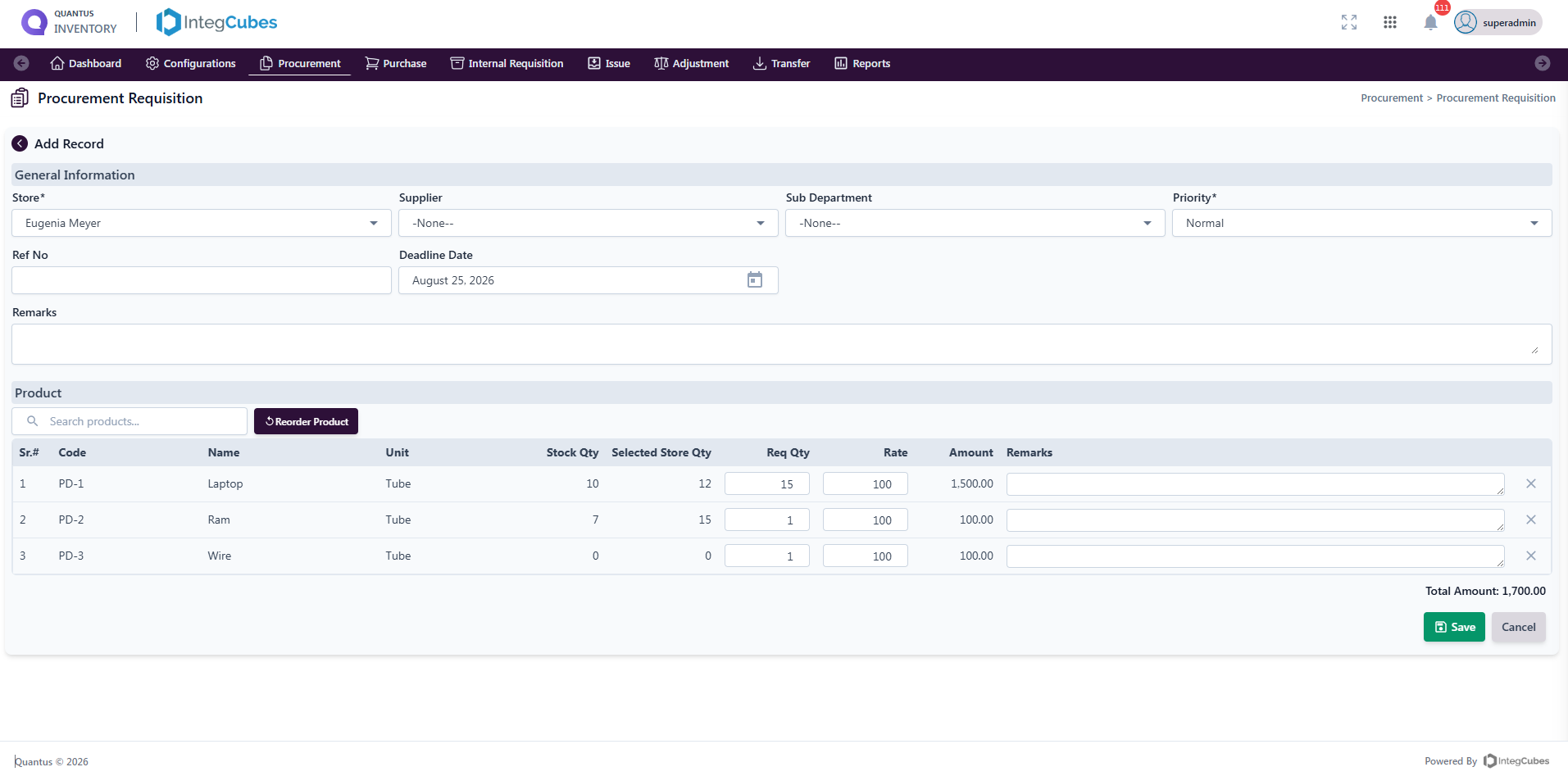
Procurement requisition
Starts the buying process with an internal request for goods, ahead of any supplier order.
- Store, supplier, sub-department, priority, reference and deadline
- Product lines with requested qty, rate, amount and store stock
- Reorder Product pulls replenishment items automatically
- Feeds approval, vendor rates and purchase orders
Procurement requisition